Your Process Is Digital, but Is the Work Still Manual? See What Can Be Automated
Your company uses software, spreadsheets, digital documents, ERP systems, and online platforms. At first glance, the operation appears to be digital.
But take a closer look at what happens between one tool and another.
Someone receives a document and manually enters the information into a system.
They look up data on one platform and copy it into a spreadsheet.
They manually update a control file.
They compare information across two different systems.
They prepare a report by gathering data from multiple sources.
They send an email to notify someone that a specific stage has been completed.
The information is digital. The systems are digital. But much of the work between them is still manual.
This is exactly where significant opportunities for process automation can be found.
Digitalization and automation are not the same thing
Turning a paper form into a spreadsheet is digitalization.
Managing a process through software is also digitalization.
But that does not necessarily mean the process has been automated.
A company may use several digital technologies while still relying heavily on people to move information between them.
Consider a simple workflow:
Document → Person → Spreadsheet → Person → ERP → Person → Report
Every element in this workflow may be digital.
Yet several human interventions are still required simply to transfer or transform information.
An automated process could work differently:
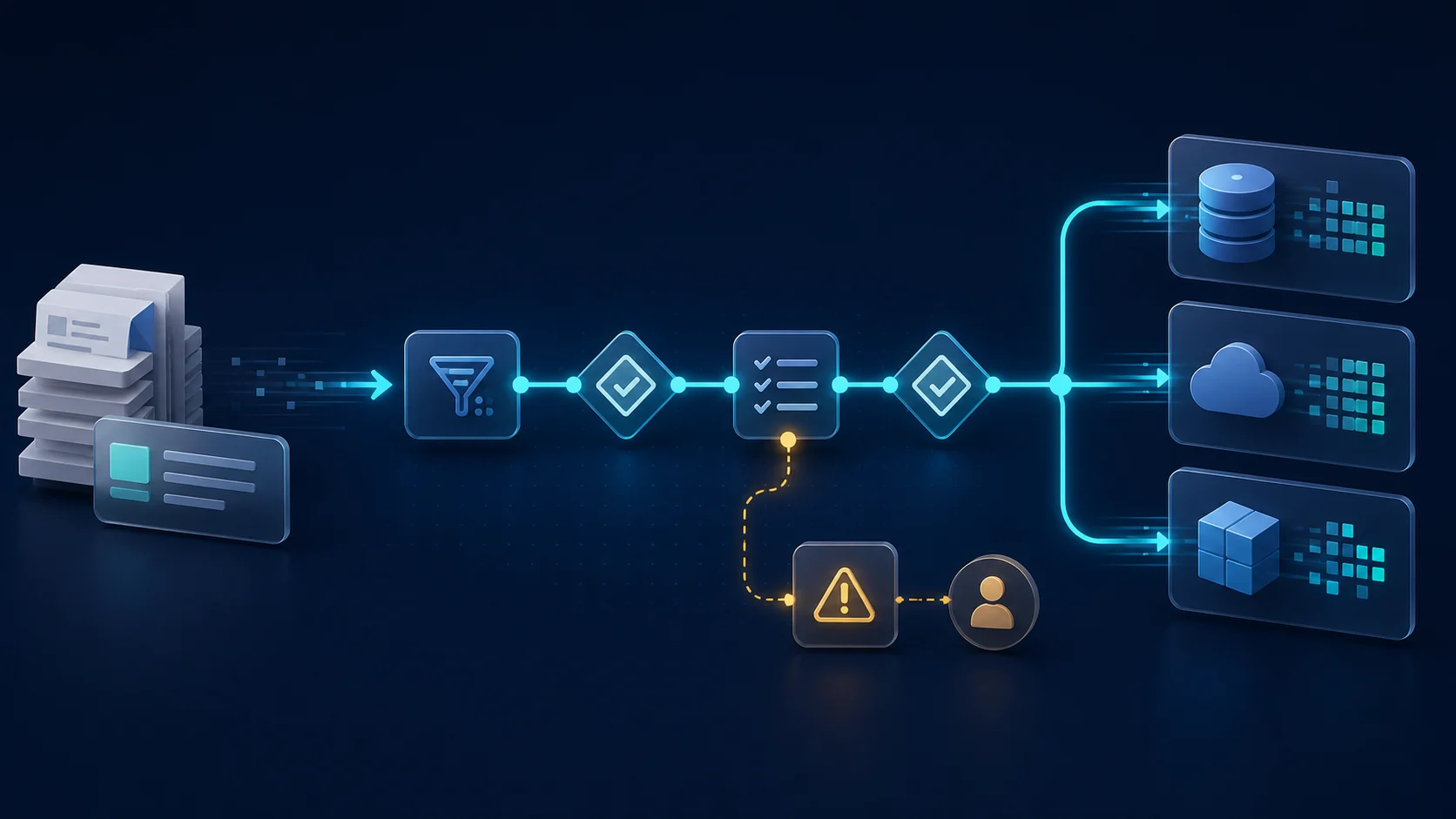
Document → Data Extraction → Validation → System → Report
People remain essential, but their involvement becomes focused primarily on analysis, decision-making, and exception handling.
Which tasks can be automated?
A good way to identify automation opportunities is to look at repetitive activities performed every day.
Examples include:
- copying information between systems;
- updating spreadsheets;
- manually entering data;
- retrieving information from external platforms;
- generating reports;
- sending notifications;
- organizing documents;
- checking and validating fields;
- monitoring status changes;
- consolidating data from multiple sources;
- creating tasks based on specific events.
Individually, some of these activities may take only a few minutes.
The problem becomes more visible when they are repeated dozens or hundreds of times.
Saving five minutes on a task performed 100 times per month represents more than eight hours of work.
When several tasks like this exist within the same operation, the impact can become significant.
1. Copying data between systems
This is one of the clearest signs of an automation opportunity.
Imagine that certain information already exists in the ERP but must be manually entered into another system.
Or an employee checks an external platform, copies the result, and updates an internal spreadsheet.
In addition to consuming time, this creates risks of typing errors, outdated information, and inconsistencies between data sources.
When systems provide APIs or other integration methods, this information can often be transferred automatically.
2. Checking information manually
Another common scenario involves comparing data.
A professional receives a document and needs to verify whether certain information matches what is registered in the system.
Purchase order.
Supplier.
Quantity.
Value.
Currency.
Dates.
Products.
Depending on the document and business rules involved, part of this validation can be automated.
The system can identify discrepancies and direct the user’s attention only to the information that actually requires analysis.
3. Updating spreadsheets
Spreadsheets are extremely useful tools.
The problem begins when professionals need to keep them updated by manually copying information that already exists elsewhere.
In this situation, the spreadsheet stops being simply an analysis tool and becomes a parallel database.
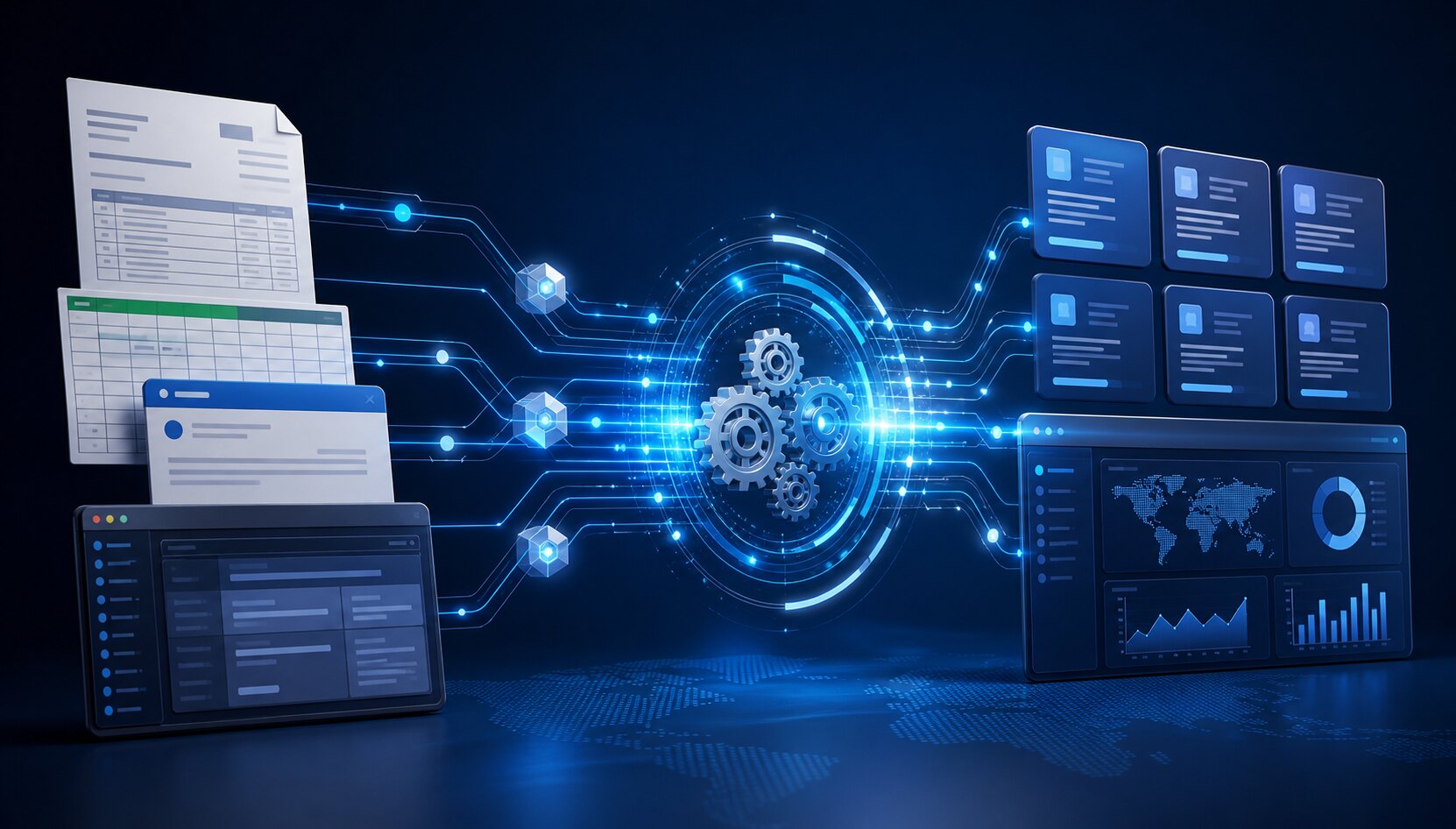
Integration can eliminate some of these updates or even replace certain controls with dashboards that are automatically updated.
4. Entering data into systems
If information already exists digitally, it is worth asking why someone needs to enter it again.
This frequently happens with information coming from documents, other systems, forms, APIs, or external platforms.
Different technologies can be used depending on the source.
An integration can retrieve structured data directly.
An automation can execute a predefined routine.
Artificial intelligence can help when information comes from documents or other unstructured sources.
5. Generating reports
Many reports still depend on a workflow such as:
Export data → Open spreadsheet → Consolidate information → Apply filters → Build report → Send by email
When the source data is structured, much of this workflow can be automated.
Reports can be generated periodically or triggered by specific events and automatically delivered to the appropriate people.
In addition to saving time, this improves consistency.
Automation does not necessarily mean artificial intelligence
This distinction is important.
With the rapid growth of AI, there is a natural tendency to try to apply it to every business problem.
But not every automation requires artificial intelligence.
If there is an objective rule such as:
When status X occurs, execute action Y.
traditional automation may be enough.
If two systems need to exchange structured information, the solution is probably an integration.
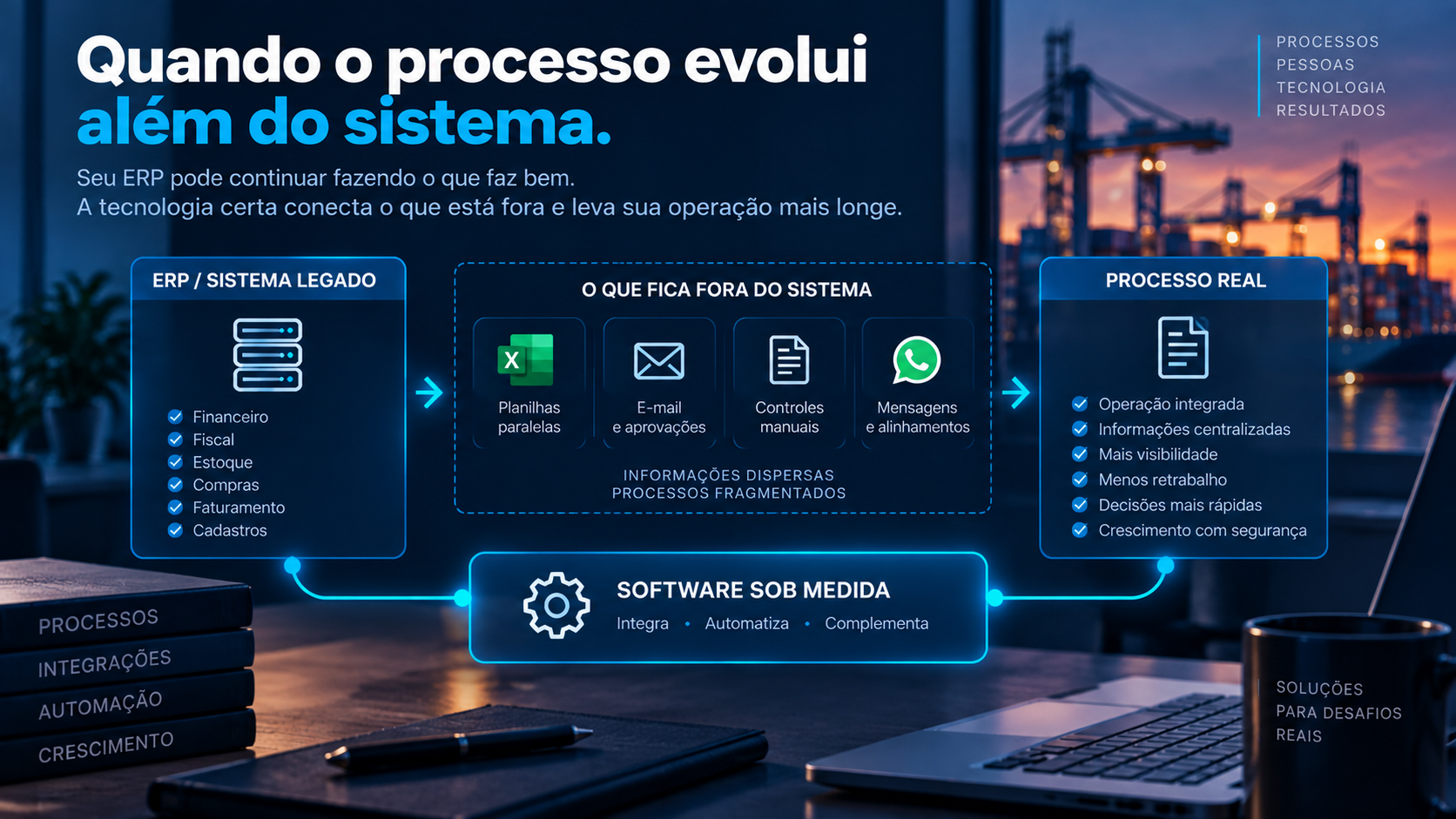
If there is a specific business requirement that existing tools cannot support, custom software may be necessary.
AI becomes particularly valuable when the challenge involves interpreting, classifying, or processing less structured information.
For example, analyzing documents and extracting information from a Commercial Invoice.
Technology should be selected after the problem is clearly understood.
Document automation
Documents are a particularly interesting area for automation.
In many companies, a document arrives digitally, usually as a PDF, but is still handled almost as if it were paper.
Someone opens the file.
Finds the required fields.
Types the information into a system.
Checks the values.
Registers the data.
Files the document.
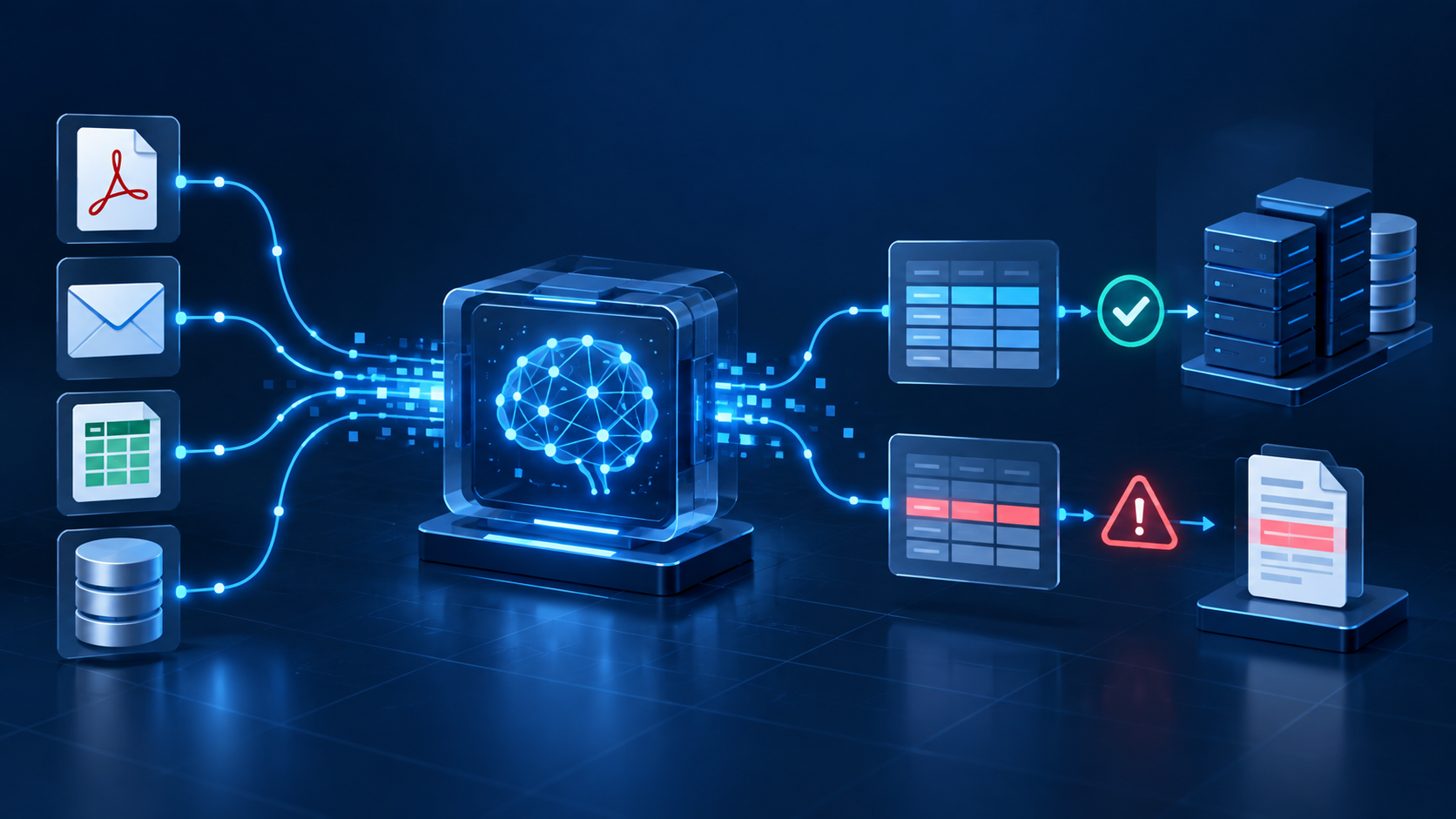
With document processing technologies and artificial intelligence, part of this workflow can be transformed.
A document can be received, classified, and have its main data extracted automatically.
Business rules can then validate the information before it is sent to the appropriate system.
Instead of entering every field manually, the professional can focus primarily on discrepancies and exceptions.
Process automation in international trade
International trade operations are particularly well suited to this discussion.
A single process may involve:
- ERP systems;
- Commercial Invoices;
- Packing Lists;
- Bills of Lading or Air Waybills;
- suppliers;
- freight forwarders;
- customs brokers;
- carriers;
- spreadsheets;
- internal systems;
- government platforms;
- emails;
- external portals.
When these sources are not connected, specialized professionals often become the integration layer between them.
They search.
Copy.
Check.
Update.
Notify.
Consolidate.
These activities may be necessary, but not all of them need to remain manual.
How can you identify automation opportunities in your company?
A simple approach is to map a routine and ask a few questions.
Does this activity happen frequently?
The more often a task is repeated, the greater its automation potential may be.
Is there a clear rule for performing it?
Predictable processes are often strong candidates for automation.
Does the information already exist digitally somewhere?
If it does, there may be no reason to enter it again.
Is someone manually moving information from one system to another?
There may be an integration opportunity.
Are errors common in this activity?
Automation can also improve consistency.
Does the team constantly need to check whether something has changed?
A system may be able to detect the change and automatically notify the appropriate people.
Does the activity require judgment or simply execution?
The less human judgment required, the greater the potential for automation tends to be.
Integration, automation, custom software, or AI?
Not every problem requires the same solution.
Integration
Integration makes sense when two or more systems need to exchange information.
Automation
Automation is appropriate for predictable, repetitive, rule-based tasks.
Custom software
Custom software may be necessary when there is a specific business process that existing tools cannot adequately support.
Artificial intelligence
AI can add value when the process requires interpreting documents, text, images, or large volumes of less structured information.
These technologies can also work together.
A document can be interpreted by AI, validated through business rules, sent to another system through an API, and automatically trigger the next stage of a workflow.
Start with the process, not the technology
Before deciding to implement AI, purchase another system, or develop a new platform, it is worth mapping how the work actually happens.
Pay particular attention to what people do between systems.
Some of the best automation opportunities are hidden in small activities that have become so routine that nobody questions them anymore.
Copy.
Paste.
Check.
Update.
Search.
Generate.
Send.
The more repetitive and predictable an activity is, the more important it becomes to ask:
Does a person really need to do this every single time?
Technology for automating international trade processes
At Pixel8, we develop software, integrations, automations, and AI-powered solutions for international trade operations.
Our work starts by understanding the process, identifying manual tasks, integration points, and opportunities where technology can reduce rework and improve the flow of information.
The answer is not always a new system.
Sometimes it is an integration.
Sometimes it is an automation.
In other cases, custom software or artificial intelligence may be the right solution.
Does your team perform the same manual task every day?
There may be an opportunity to automate that process.
Talk to Pixel8 and tell us how your operation works.