Business Process Automation: How to Turn Manual Tasks into Automated Workflows
Automating a process doesn’t simply mean completing a task faster.
It doesn’t necessarily mean replacing people with software either.
In practice, a good business process automation project starts by understanding how the work actually happens.
Where does the information come from?
What needs to be checked?
Which business rules need to be applied?
Which systems are involved?
What can happen automatically?
When does someone need to make a decision?
These questions matter because many business processes that appear simple actually involve a combination of tasks, rules, integrations and exceptions.
Understanding this logic is the first step toward transforming a manual routine into an automated workflow.
What is business process automation?
Business process automation is the use of technology to automatically perform certain steps within a business workflow.
Imagine a simple process:
Information arrives by email.
Someone opens a document.
Finds the relevant data.
Checks the information.
Looks something up in another system.
Updates a spreadsheet.
Then enters the same information into the ERP.
Finally, another person is notified that the task has been completed.
Depending on the business rules involved, part of this workflow could become:
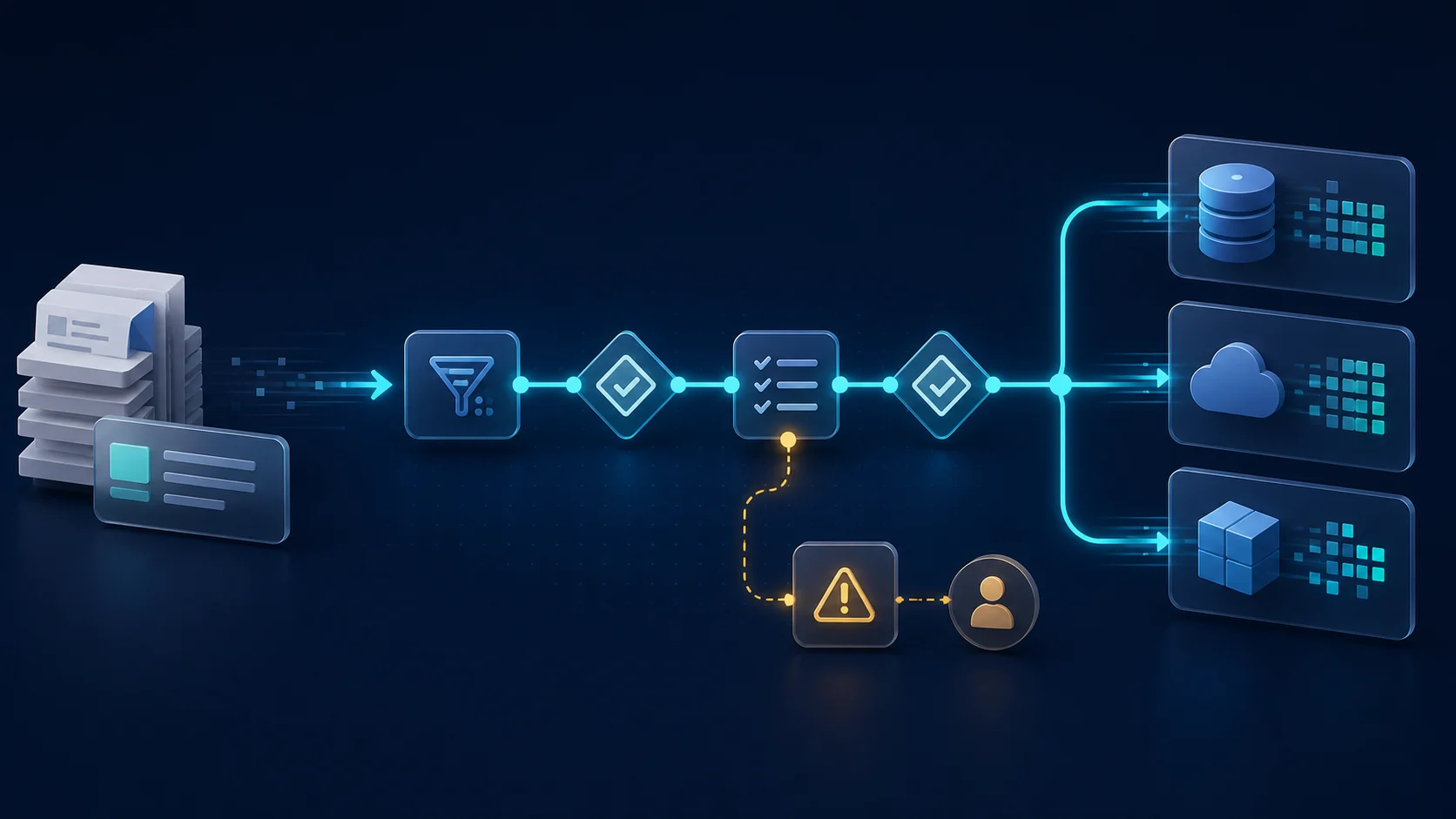
Information received
↓
Data captured
↓
Automatic validation
↓
Systems queried
↓
Business rules applied
↓
System updated
↓
Next step triggered
Instead of performing every repetitive task manually, people can focus primarily on situations that actually require analysis or decision-making.
How do you identify a process that can be automated?
Not every activity needs automation.
Some tasks are quick, infrequent or highly dependent on human judgment.
Others have characteristics that make automation particularly valuable.
Common signs include:
- repetitive data entry;
- copying and pasting information;
- manually updating multiple systems;
- repetitive checks and validations;
- frequent report generation;
- manually sending notifications;
- monitoring deadlines;
- transferring files;
- rule-based tasks;
- high volumes of similar activities.
The more frequent and predictable a task is, the greater the potential opportunity for automation.
The first step isn’t programming
A common mistake in automation projects is starting with the technology.
API.
RPA.
Artificial intelligence.
Systems integration.
Custom software.
All of these can be useful tools.
But none of them answers the first question:
How does the process actually work?
Before developing an automation, the current workflow needs to be mapped.
For example:
- What triggers the process?
- Who receives the initial information?
- Where does the data come from?
- Which tasks are performed?
- Which systems are used?
- Which decisions need to be made?
- Which business rules apply?
- Which exceptions occur?
- How does the process end?
- What needs to be recorded?
Only after answering these questions does it make sense to discuss technology.
Tasks and decisions are different things
This distinction is fundamental.
Imagine someone responsible for reviewing a document.
They may perform several tasks:
Open the file.
Locate the document number.
Copy the amount.
Identify the date.
Look up the supplier in the system.
Compare information.
After that, they may need to make a decision.
If everything is correct, continue.
If there is a discrepancy, investigate it.
Many of the first activities can potentially be automated.
The final decision may still require human context and judgment.
This means automation doesn’t necessarily have to look like:
Person → Software
A better design is often:
Software handles the normal flow → People handle exceptions
Business rules are at the heart of automation
Once the tasks have been mapped, another important layer appears: business rules.
Consider some common instructions within a company:
“If the deadline is exceeded, notify the person responsible.”
“If the values are different, send it for review.”
“If the customer already exists, don’t create another record.”
“If this document is missing, the process cannot continue.”
“If everything is correct, continue automatically.”
These statements describe business rules.
In software, they can become behaviors such as:
Deadline exceeded → Alert
Data discrepancy → Review
Existing record → Update
Missing document → Pending item
Validation successful → Next step
When these rules are formalized, automation begins to represent the company’s actual business process.
Not every rule should block the process
This is another important consideration.
Poorly designed automation can turn every exception into a blocker.
In practice, different situations require different responses.
One condition may simply provide information.
Another may generate an alert.
Another may require review.
Only certain situations should prevent the workflow from continuing.
We can think about different levels:
Inform
Something happened, but no immediate action is required.
Alert
A situation deserves attention.
Review
Someone needs to analyze the situation before a decision is made.
Block
The process shouldn’t continue until a specific condition has been resolved.
This distinction prevents automation from becoming digital bureaucracy.
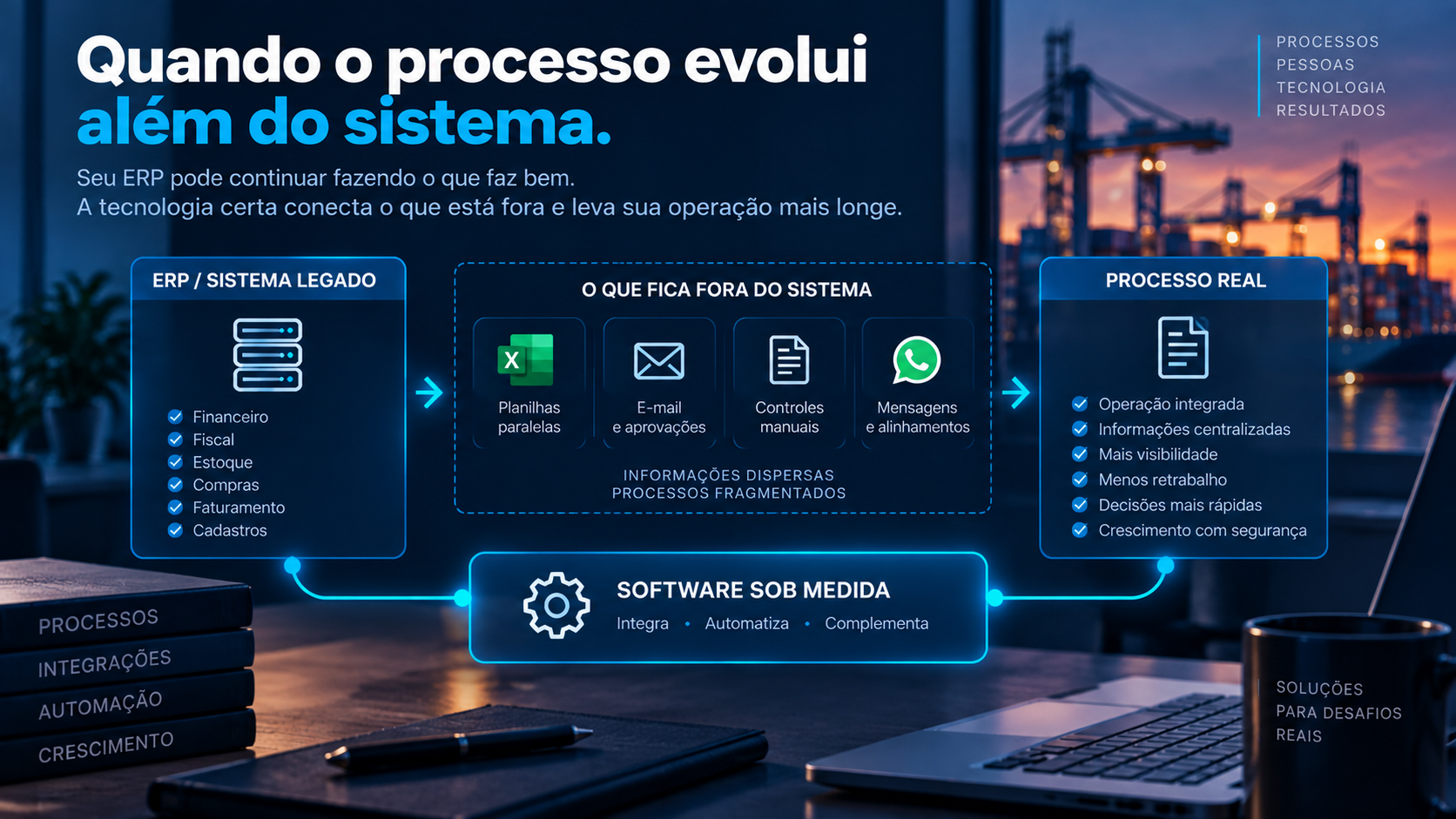
Systems integration is part of process automation
Many business processes don’t happen inside a single system.
Imagine an order that starts in an e-commerce platform.
The information needs to reach the ERP.
Inventory needs to be checked.
Finance needs the data.
Logistics needs to start another step.
If these systems aren’t connected, someone may end up performing the integration manually.
This is why business process automation and systems integration often go hand in hand.
A workflow might look like:
E-commerce
↓
Integration
↓
Validation
↓
ERP
↓
Inventory
↓
Logistics
↓
Notification
Each application continues to perform its specific role.
Automation connects the steps.
APIs and business process automation
APIs are one of the main ways modern applications communicate.
They allow one system to retrieve, send or update information in another.
For example:
An order is approved.
The automation calls an API.
The customer is located in the ERP.
Products are validated.
The order is created.
The result is returned to the original system.
All of this can happen without someone manually copying information between platforms.
But an API is only the communication mechanism.
The automation still needs to know when to call the API, which data to send and what to do with the response.
Where does artificial intelligence fit in?
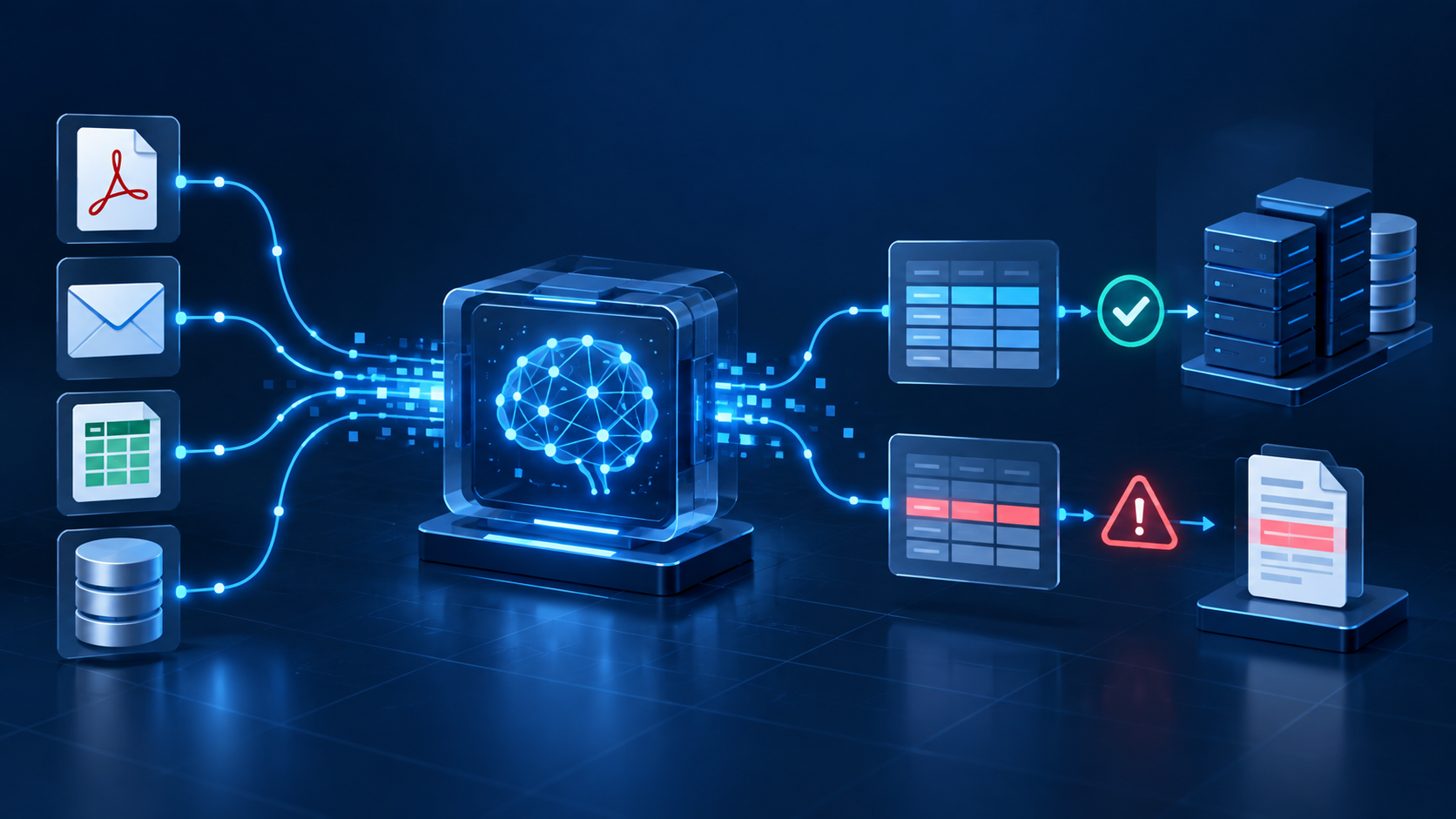
Artificial intelligence expands automation possibilities, particularly when information doesn’t arrive in a perfectly structured format.
Documents are a good example.
A company may receive:
- PDFs;
- contracts;
- orders;
- forms;
- images;
- emails;
- commercial documents.
AI can help interpret this content and transform relevant information into structured data.
But extracting the information is only one step.
Other questions still need to be answered:
Is the data correct?
Does the record exist in the system?
Does it comply with the business rules?
Is there a discrepancy?
Which system should receive the information?
What happens when extraction confidence is low?
A more complete architecture might therefore look like:
Document
↓
AI
↓
Structured data
↓
Validation
↓
Business rules
↓
Integration
↓
System
↓
Action
AI interprets.
Rules validate.
Integrations connect.
Software controls the workflow.
People handle exceptions.
Automation doesn’t mean eliminating people
This is one of the biggest misconceptions about automation.
Some decisions depend on experience, negotiation, context and judgment.
Those activities don’t necessarily need to be removed from people.
The objective can be exactly the opposite:
eliminate repetitive tasks so people have more time for decisions that genuinely require their expertise.
Instead of manually reviewing 100 similar situations to find three problems, technology can help identify those three exceptions.
People still make the decisions.
They simply don’t have to spend the same amount of time searching for where their attention is needed.
What happens when something goes wrong?
Every automation project needs to consider exceptions.
A system may become unavailable.
An API may return an error.
A document may arrive incomplete.
A required record may not exist.
Information may arrive in an unexpected format.
A business rule may identify a discrepancy.
An automated workflow therefore needs to answer:
What happens when execution fails?
Depending on the situation, this might involve:
- automatic retries;
- error logs;
- alerts;
- queues for later processing;
- manual review;
- blocking a specific step.
Automating only the perfect scenario is rarely enough for a real business process.
Why traceability matters
In important business processes, knowing the current status may not be enough.
You may also need to understand how the process reached that point.
What information was received?
Which rule was applied?
Which system sent the data?
Which system received it?
Was any information changed?
Did someone make a decision?
When did it happen?
This history provides traceability.
And the more critical the process is, the more important this audit trail becomes.
An example of end-to-end process automation
Imagine an order intake process.
Before automation
The order arrives by email.
Someone opens the file.
Checks the data.
Looks up the customer.
Checks the products.
Enters the order into the ERP.
Updates a spreadsheet.
Notifies the sales team.
Archives the document.
After automation
The order is received.
↓
The data is captured.
↓
Customer and product records are checked.
↓
Business rules are validated.
↓
Everything correct?
Yes → Order created automatically.
No → Sent for review.
↓
ERP updated.
↓
History recorded.
↓
Relevant people notified.
The business process still exists.
What changed is who — or what — performs each step.
How do you start a business process automation project?
A practical approach is to choose one process and document how it currently works.
Start by examining:
1. Volume
How often does this activity happen?
2. Time
How much time does the team spend performing it?
3. Repetition
Are the steps similar most of the time?
4. Rules
Can you objectively explain how the most common decisions are made?
5. Systems
How many applications are involved in the workflow?
6. Data
Does the information arrive in a structured format, or does it need to be interpreted?
7. Exceptions
Which situations fall outside the normal workflow?
8. Impact
What would the company gain by automating part of this process?
These answers make it much easier to evaluate feasibility and prioritize automation opportunities.
Automation, integration or custom software?
Not every problem requires the same solution.
Sometimes integrating two existing systems eliminates most of the manual work.
In other cases, a simple automation is enough.
Some processes require a dedicated application.
Others may combine several technologies.
For example:
Custom software + APIs + Automation + AI
The solution should start with the business problem.
Not with whichever technology happens to be popular at the moment.
From manual process to software
Good automation transforms operational knowledge into system behavior.
The journey often looks like:
Process
↓
Tasks
↓
Rules
↓
Exceptions
↓
Integrations
↓
Automation
↓
Software
That’s why understanding the operation is just as important as knowing how to build the technology.
Code executes what has been defined.
The challenge is correctly defining what should happen.
How Pixel8 develops process automation
At Pixel8, we develop software, integrations and automation solutions that transform manual processes into digital workflows.
Our work starts by understanding:
- how the process works;
- which information is used;
- which business rules need to be applied;
- which systems are involved;
- which tasks can be automated;
- which exceptions require people.
From there, we evaluate the appropriate technology for each scenario.
It may involve API integration.
Custom software.
Workflow automation.
Document processing.
Artificial intelligence.
Or a combination of these technologies.
The goal isn’t simply to add technology to a process.
It’s to let technology handle what can be executed predictably while allowing people to focus their attention on decisions that genuinely need them.
Your process depends on rules. Does your system know those rules?
Many companies have processes that work because experienced people know exactly what to do in each situation.
That knowledge has enormous value.
But when some of those rules can be formalized, an opportunity emerges to turn operational experience into automation.
Validate information.
Identify discrepancies.
Monitor deadlines.
Integrate systems.
Handle exceptions.
A good system doesn’t need to make every decision.
It needs to know which decisions it can execute automatically and, most importantly, when it needs to involve a person.
If your company has repetitive processes, manual controls or systems that still depend on people to move and validate information, there may be an opportunity for automation.
Talk to Pixel8 and tell us how your process works.