Does Your ERP Not Cover the Entire Process? When to Integrate, Customize, or Develop a System
Your company has an ERP.
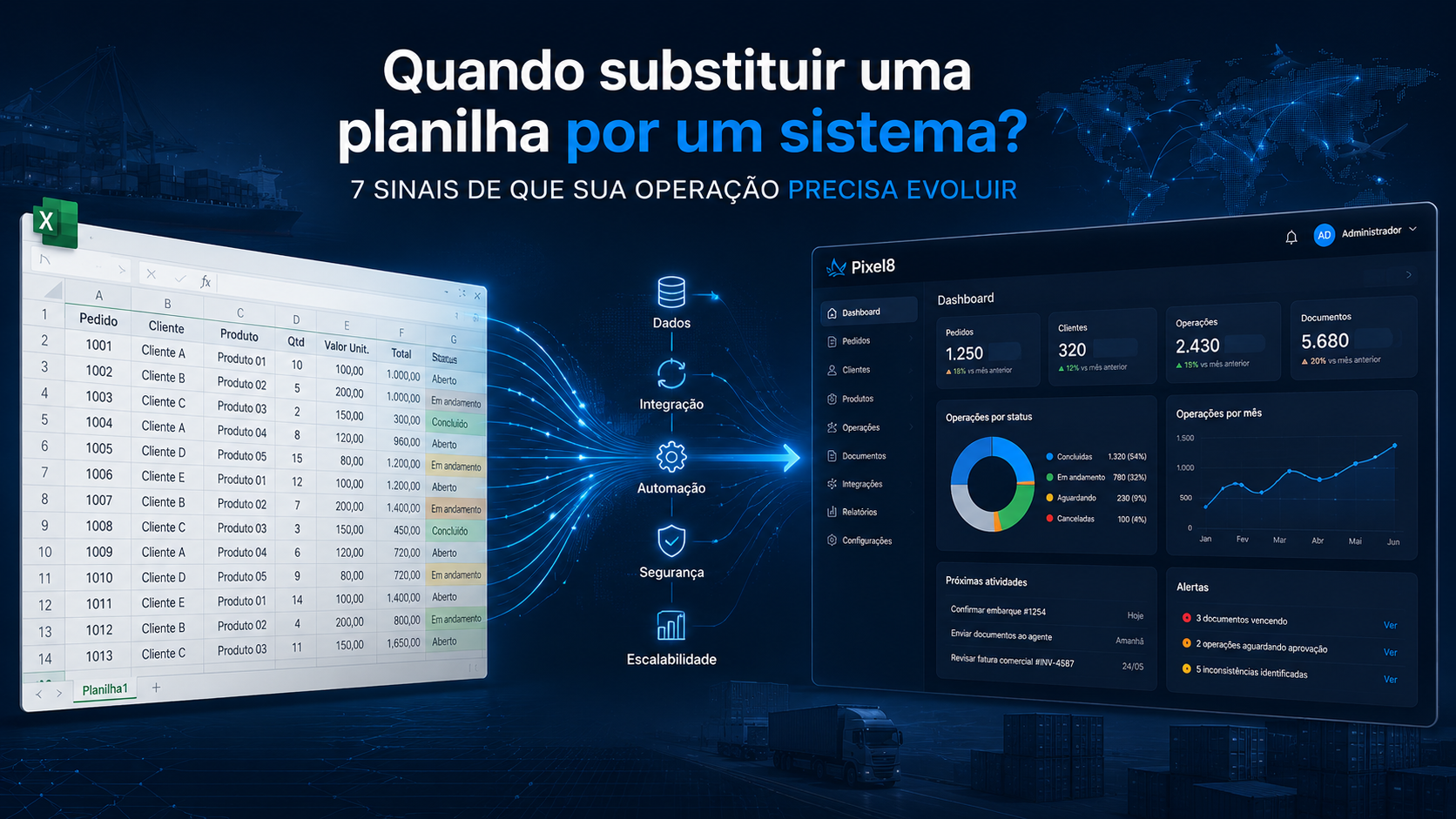
Even so, part of the operation happens in spreadsheets.
Some approvals are handled by email.
Certain information has to be entered into more than one system.
There are parallel controls that only a few people know how to manage.
And when a different need arises, the usual answer is:
“The system does not do that.”
This scenario is more common than it may seem.
It does not necessarily mean that the ERP is bad or needs to be replaced.
Often, the problem is something else:
the company’s process evolved, but its systems did not keep up.
The question is no longer simply “Do we need to replace the ERP?” It becomes:
what is the best way to close the gap between what the system offers and what the operation actually needs?
Depending on the situation, the answer may involve integration, automation, customization, or custom software development.
Why does the process end up outside the ERP?
An ERP is usually responsible for important company processes.
Finance.
Tax.
Inventory.
Purchasing.
Sales.
Billing.
Accounting.
Master data.
But every organization has its own particularities.
A process that used to be simple may gain new steps.
The company may start serving a different type of customer.
A new approval may be introduced.
A department may need information that was not previously required.
New systems may be adopted.
The volume may increase.
A specific operation may require its own controls.
The ERP continues to work.
The process is what changed.
When the system does not keep up, people naturally look for ways to continue working.
They usually turn to the tools already available.
Parallel controls start small
Imagine that information needed for a particular operation does not exist in the ERP.
The team adds a column to a spreadsheet.
Then a second piece of information appears.
Another column.
A new process requires an approval.
It starts happening by email.
Another department needs the data.
Someone starts forwarding a message.
The manager needs to follow the progress.
A second spreadsheet is created.
Little by little, the workflow may become:
ERP → Excel → Email → WhatsApp → Another system → Excel again
Each tool solves a small need.
The problem appears when they start forming the company’s real process.
7 signs of a gap between the ERP and the operation
Not every use of spreadsheets or external tools represents a problem.
But some signs deserve attention.
1. The same information is entered more than once
A piece of data is entered into the ERP and then entered again into a spreadsheet or another system.
Besides the time involved, this creates a risk of having different information about the same operation.
2. Essential spreadsheets exist for the process
The spreadsheet is not merely used for occasional analysis.
Without it, the team cannot execute or monitor a specific activity.
In this case, an important part of the process exists outside the main system.
3. Approvals happen by email or messages
The request is in one system.
The approval happens by email.
The confirmation arrives by message.
Someone then has to update the system manually.
The workflow exists, but it is fragmented.
4. Process status depends on asking someone
When answering “How is this process going?” requires consulting a specific person, operational knowledge may not be adequately represented in the systems.
5. The team created controls to compensate for system limitations
Additional fields.
Auxiliary spreadsheets.
Checklists.
Folders.
Manual reports.
These resources may indicate needs that the existing solution does not address.
6. Important information is distributed across several systems
Financial data is in the ERP.
The operation is in another piece of software.
Documents are in folders.
Tracking happens in a spreadsheet.
Updates arrive by email.
The problem is not necessarily having several systems.
The problem is when they do not communicate with one another.
7. A simple process change requires a lot of manual work
If a new business rule creates several additional activities because the system cannot represent it, there may be an opportunity for technological improvement.
Replacing the ERP is not always the best solution
When many parallel controls appear, a natural reaction is to consider replacing the current system.
In some cases, that may really be necessary.
But replacing an ERP is usually a high-impact decision.
There is data to migrate.
Integrations to rebuild.
People to train.
Processes to review.
Implementation risks.
Costs.
Time.
And the current system may still serve important areas of the company very well.
Before deciding to replace it, separate two questions:
Has the ERP stopped serving its primary purpose?
or
Is there a specific part of the operation that the ERP does not support?
The answers lead to very different strategies.
Option 1: integrate the existing systems
Sometimes each system already performs its role well.
The problem is the path between them.
Imagine:
Operational system → ERP → Finance
If the team has to move information manually between these tools, replacing any of them may not be necessary.
An integration can allow data to move automatically.
APIs, webhooks, structured files, and other mechanisms can connect applications.
The goal is to transform:
System A → Person → Data entry → System B
into:
System A → Integration → System B
This can reduce rework while preserving tools that already work.
Option 2: automate part of the process
In other cases, the problem does not require a complete new system.
There may simply be a sequence of manual tasks that could be automated.
For example:
Receive information
↓
Validate data
↓
Query another system
↓
Apply a rule
↓
Update the ERP
↓
Send a notification
If the rules are well defined, part of this flow can happen automatically.
Automation works especially well when there are repetitive tasks, clear criteria, and systems that can be integrated.
Option 3: customize the existing system
Depending on the ERP and the available architecture, it may be possible to develop a customization.
A new field.
A report.
A screen.
A rule.
A workflow.
An extension.
This option may be appropriate when the need is closely related to the system’s existing functionality.
But there is an important consideration.
Excessive customizations can increase maintenance complexity and make future ERP updates more difficult.
It is therefore important to assess not only whether a customization can be made, but whether it should be made inside that system.
Option 4: develop a complementary system
There is another alternative that many companies fail to consider:
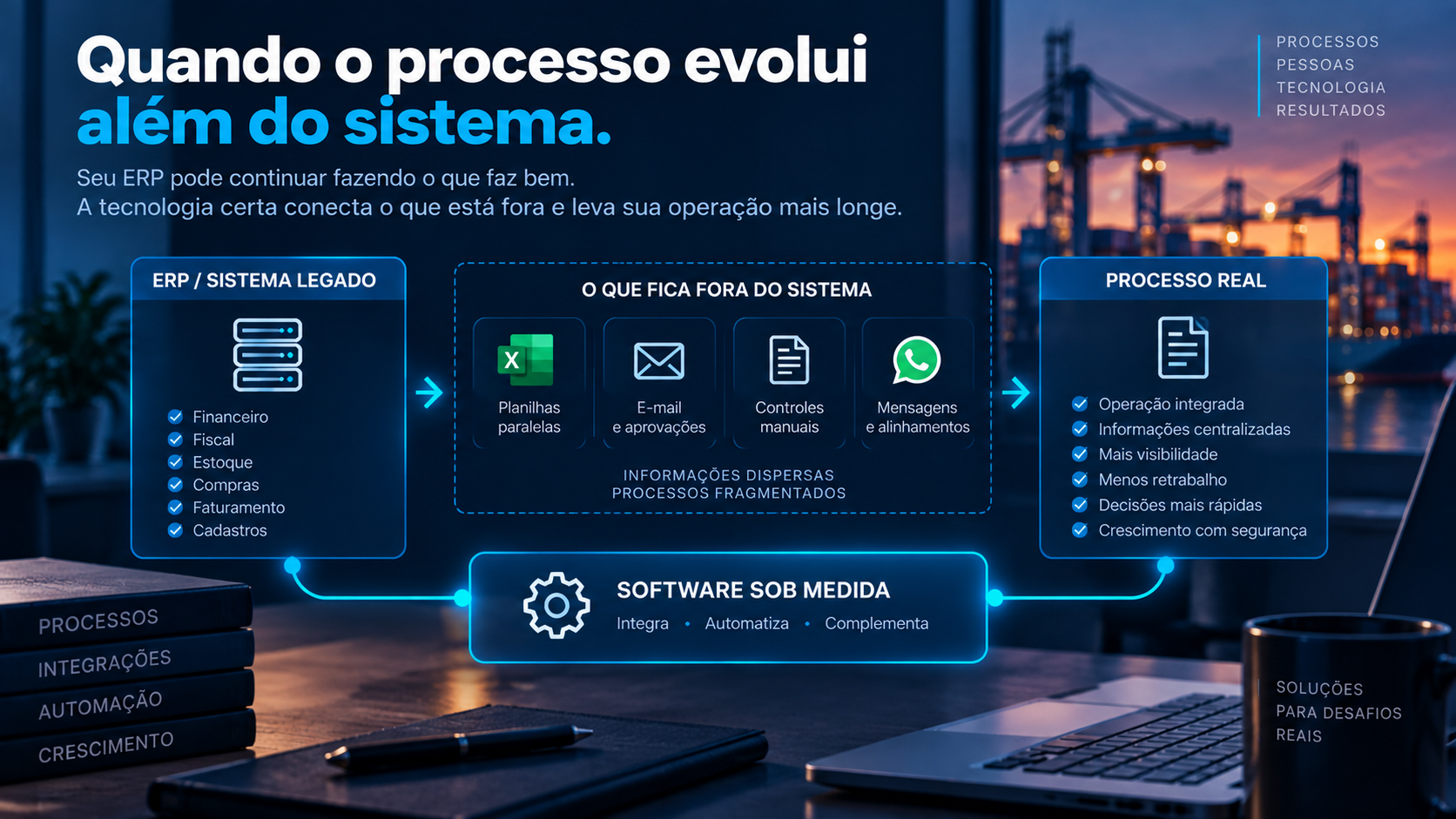
keep the ERP and develop an application for the specific part it does not support.
Imagine that the ERP correctly handles:
- finance;
- tax;
- inventory;
- purchasing;
- billing.
But there is a specific operational process that depends on:
- its own steps;
- documents;
- approvals;
- responsibilities;
- deadlines;
- integrations;
- particular business rules.
Instead of trying to turn the ERP into something it was not designed to be, a complementary application can handle that operation.
The systems can then be integrated.
The architecture becomes:
ERP ↔ Custom System ↔ Other Systems
Each application remains responsible for what it does best.
What is a complementary ERP system?
A complementary system does not need to replace the company’s core software.
It solves a specific need and exchanges information with the other systems.
It may be, for example:
- a customer or supplier portal;
- an operational system;
- an approval workflow;
- a document platform;
- a process monitoring application;
- a budgeting module;
- a customer service system;
- a management dashboard;
- an application for a specific business rule.
The goal is not to rebuild functionality that the ERP already has.
It is to develop what is missing.
An example from international trade
International trade is a good example because it usually involves different systems and sources of information.
A company may have an ERP responsible for purchasing, inventory, finance, and tax-related activities.
But an import operation may also involve:
- Commercial Invoices;
- Packing Lists;
- Bills of Lading;
- AWBs;
- licenses;
- tracking;
- ETD;
- ETA;
- agents;
- suppliers;
- expenses;
- customs clearance;
- free time;
- delivery.
It does not always make sense to turn the ERP into a complete international trade management platform.
An alternative is to use or develop a solution specifically for the operation and integrate it with the ERP.
In this model:
ERP → remains responsible for what it already does well
International trade system → manages the operation’s specific needs
Integration → keeps information connected
This principle also applies to many other areas of a company.
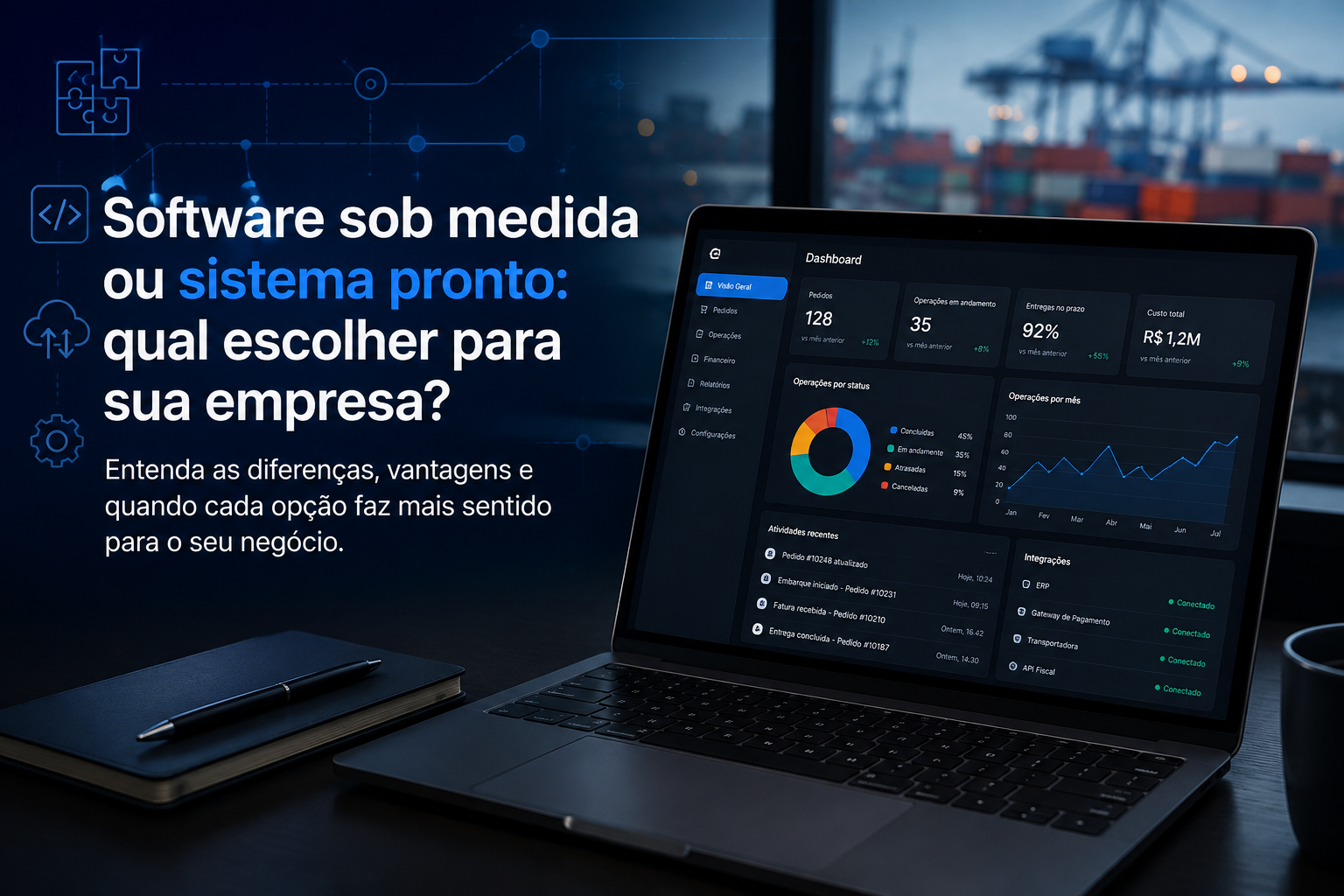
Custom software does not mean building everything from scratch
There is a perception that custom development means replacing every existing system with one large proprietary application.
It does not have to be that way.
A project can be much smaller.
Imagine that 80% of the process is already well supported.
The problem is in the other 20%.
Development can focus exactly on that gap.
A portal.
An integration.
A small operational system.
A module.
An automation.
A service responsible for connecting applications.
The goal should not be to develop as much as possible.
It should be to solve the problem with the right architecture.
How do you decide whether to integrate, automate, customize, or develop?
The decision depends on the problem.
A practical way to start is to map where the process takes place today.
For example:
| Step | Where it happens today | Problem |
|---|---|---|
| Order | ERP | Works |
| Approval | No traceability | |
| Operational control | Excel | Manual updates |
| Documents | Shared folder | Scattered information |
| Finance | ERP | Works |
| Indicators | Excel | Manual preparation |
This view helps show that the ERP may not be the problem.
There may simply be a few gaps between the system and the process.
From there, each need can be evaluated.
Integration: when the systems work, but data does not flow between them.
Automation: when there are repetitive tasks and clear rules.
Customization: when the need naturally belongs inside the existing system.
Custom software: when there is a specific process that does not fit the current solutions appropriately.
Start with the process, not the technology
Before deciding to develop anything, map the real process.
Not only the process described in the procedure.
But what people actually do.
Ask:
Where does information enter?
Who uses it?
Where is it recorded?
Which systems participate?
Where is information entered repeatedly?
Which parallel controls are indispensable?
Where do decisions happen?
What are the exceptions?
What depends on a specific person?
This assessment often reveals that the problem is not a lack of technology.
It is a lack of connection between process and technology.
Be careful not to digitize a bad process
There is another risk.
Developing exactly what the company does today without questioning the flow.
If there are eight manual steps, the solution should not necessarily create eight digital screens.
Before developing, ask:
Is this step still necessary?
Does this information already exist somewhere else?
Can this validation be automated?
Could these two systems exchange data?
Does this person need to participate every time, or only for exceptions?
A good software project does not merely turn manual activities into screens.
It can simplify the process itself.
The system needs to keep up with the company’s evolution
Processes change.
Companies grow.
Rules evolve.
New products appear.
New channels are created.
Systems are adopted.
The technology environment needs to keep up with this evolution.
That does not mean constantly replacing existing tools.
It means building an architecture in which they can evolve and connect.
Sometimes this will happen through an integration.
At other times, through automation.
In other cases, through customization.
And there are situations in which custom software will be the most appropriate alternative.
Your process changed. Your system did not.
Parallel spreadsheets, manual controls, and duplicated information do not appear without a reason.
They are often created by people to fill a gap between the real process and what the systems can execute.
The solution does not have to begin with:
“Let us replace the ERP.”
It can begin with a much simpler question:
“What is missing?”
Then:
“Do we need to integrate, automate, customize, or develop?”
That is the approach we use at Pixel8.
We understand the existing process, identify the gaps, and assess which combination of development, integration, and automation makes sense for that operation.
Because custom software does not have to mean replacing everything.
It can mean developing exactly what is missing.
Does your process depend on spreadsheets, parallel controls, or activities that your current system does not support? Talk to Pixel8.