Systems Integration: How to Eliminate Rework and Connect Your Business Data
Your company can have great software and still rely heavily on manual work.
ERP.
CRM.
E-commerce.
Financial systems.
Logistics platforms.
Inventory management.
Internal applications.
Each tool may work perfectly well for its specific purpose.
The problem often appears when information needs to move from one system to another.
Someone checks one platform.
Copies the information.
Opens another system.
Enters the same data again.
Updates a spreadsheet.
Sends an email.
Someone else checks whether everything matches.
This type of work is so common that companies often stop seeing it as a problem.
But there is an important question worth asking:
How many tasks does your team perform every day simply because your systems don’t communicate with each other?
This is exactly where systems integration becomes important.
What is systems integration?
Systems integration connects different software applications so that data and events can be shared automatically.
Instead of having people manually move information from one platform to another, the systems themselves can communicate.
Consider an e-commerce operation.
When a customer places an order, several things may need to happen:
- The order is recorded.
- Inventory is updated.
- Order data is sent to the ERP.
- Financial information is processed.
- Logistics receives a fulfillment request.
- The customer receives status updates.
If these platforms operate independently, several steps may require manual intervention.
When they are integrated, information can flow automatically throughout the process.
Having multiple systems doesn’t mean having an integrated operation
Digital transformation has created an interesting scenario.
Today, companies can find excellent specialized software for almost every business area.
But adding more software doesn’t necessarily eliminate manual work.
A company may use five different platforms and still depend on spreadsheets to connect them.
It is common to find workflows such as:
ERP → Person → Spreadsheet → Person → System
when the flow could be:
ERP → Integration → System
Technology exists in both scenarios.
The difference is how information moves between systems.
1. Entering the same information more than once
This is probably the easiest sign to identify.
A customer is registered in the CRM.
Then someone needs to register the same customer in the ERP.
An order arrives through the e-commerce platform.
Someone manually enters it into an internal system.
Information arrives through one application.
Then it is copied into another.
Besides the time spent on these activities, there is another problem: every new manual entry creates another opportunity for error.
Wrong codes.
Different amounts.
Incorrect dates.
Missing fields.
The more times the same information is manually handled, the greater the possibility of inconsistencies.
2. Spreadsheets acting as bridges between systems
Spreadsheets are excellent tools.
But there is one situation that deserves attention: when they are primarily being used to transport information between systems.
Export a CSV file.
Open it in Excel.
Adjust the columns.
Remove records.
Apply formulas.
Save another file.
Import it into the next system.
This process may work perfectly well.
But when it needs to be repeated every day—or several times a day—there may be an opportunity for integration.
The question isn’t whether the spreadsheet should disappear.
The question is whether a person should continue performing that entire process manually.
3. Different systems contain different versions of the same information
Another common problem appears when two platforms contain different versions of the same data.
The ERP shows one status.
The sales system shows another.
The spreadsheet contains a third.
Which one is correct?
This often happens when updates depend on people.
Someone changes information in one system but doesn’t update the others.
Integration can help establish a source of truth and automatically distribute relevant changes to the systems that depend on that information.
4. Reports depend on multiple data sources
Imagine management needs a report.
Some information is stored in the ERP.
Another part comes from the CRM.
Other numbers are in the e-commerce platform.
Additional information comes from an internal application.
Someone exports data from all these systems and builds the final report in a spreadsheet.
Depending on its complexity and frequency, this process can consume hours.
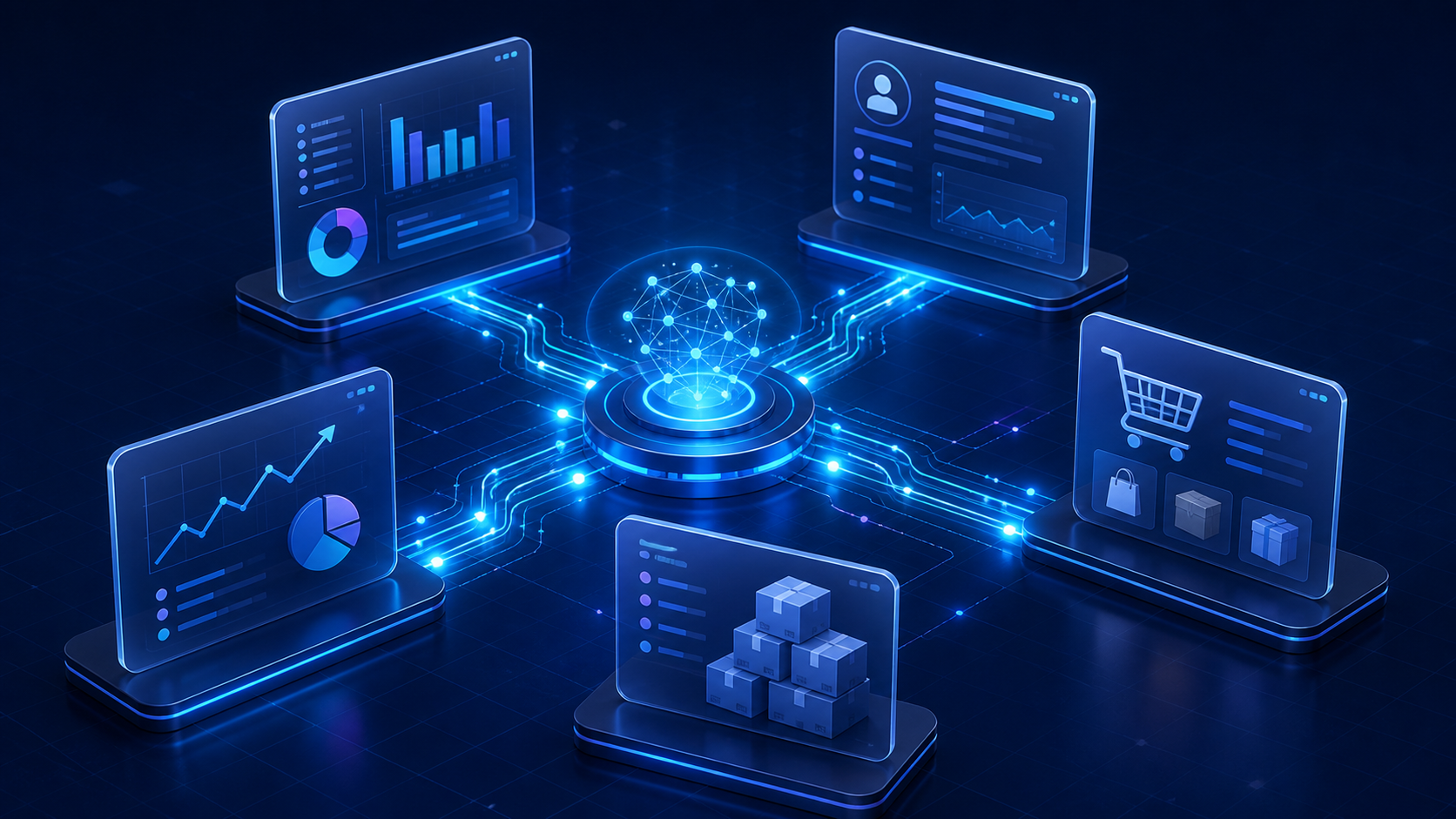
Systems integration can create flows where information is automatically consolidated into a database, dashboard or application designed for analysis.
5. Your team needs several systems to answer one question
Sometimes the problem isn’t data entry.
It’s data retrieval.
To answer a question about a customer, order or operation, an employee may need to open three or four different platforms.
Each system contains part of the story.
This increases the time required to understand what is happening.
In certain scenarios, integration can provide a consolidated view without replacing the applications the company already uses.
How does systems integration work?
There are several ways to connect applications.
The right approach depends on the systems involved, available infrastructure, data volume and required frequency.
APIs
APIs allow applications to exchange information through defined interfaces.
One system can automatically request information from or send information to another.
This is one of the most common approaches for integrating modern applications.
Webhooks
While an API often involves one application requesting information from another, webhooks can automatically notify another system when an event occurs.
For example:
Payment approved → Event sent → Order updated
This avoids constantly checking whether something has changed.
Files
Not every system provides an API.
Some integrations still rely on files such as CSV, XML, JSON or other formats.
Even in these cases, parts of the file generation, processing and import workflow can often be automated.
Databases
In certain architectures, systems can share or synchronize information through databases.
This approach requires careful consideration of security, consistency and access rules.
Middleware
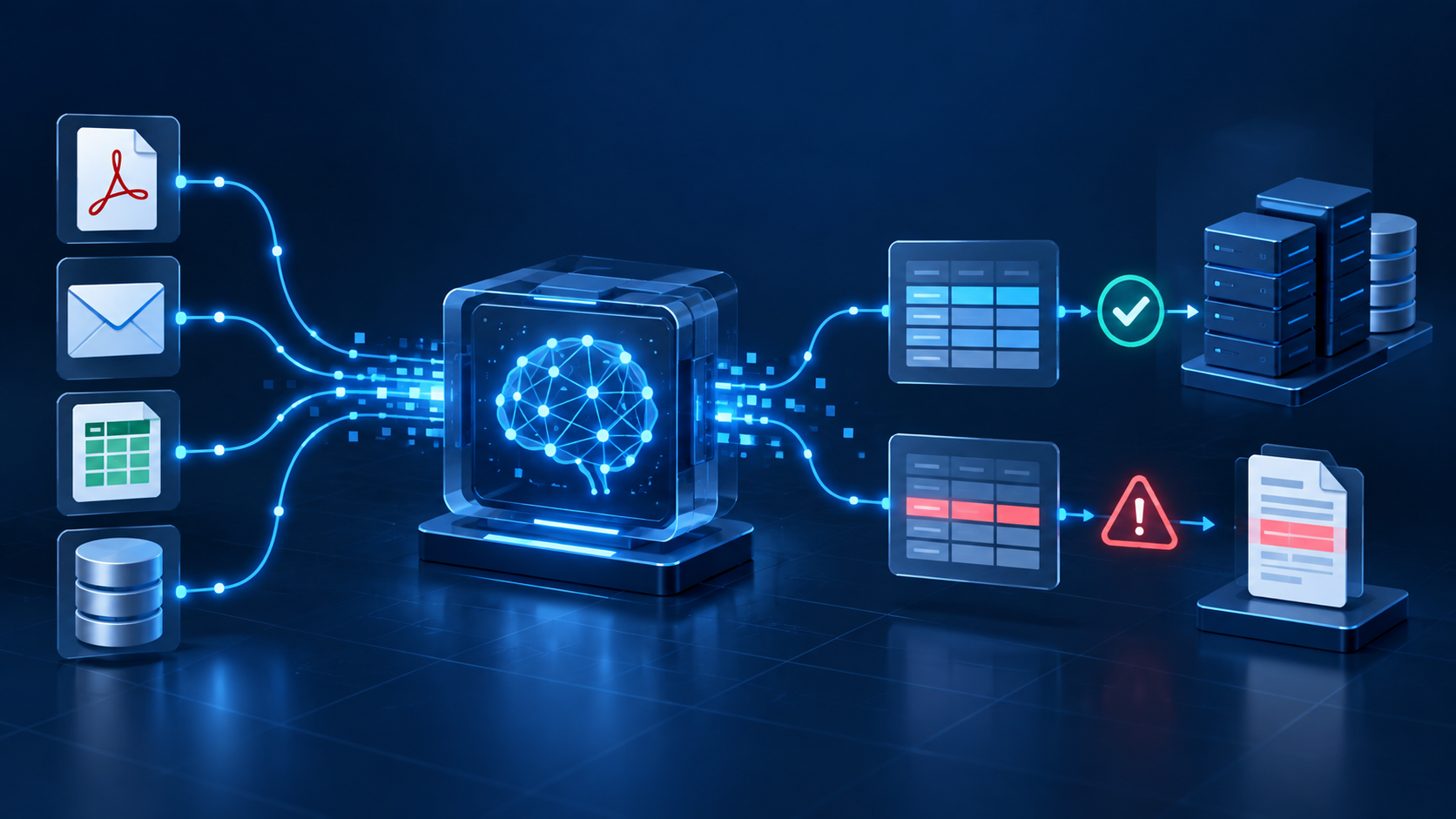
A middleware layer can also be used to receive, transform, validate and distribute information between multiple applications.
This type of architecture can be particularly useful when several systems need to communicate with one another.
Integration isn’t simply copying data
A reliable integration needs to understand business rules.
Imagine one system sending an order to another.
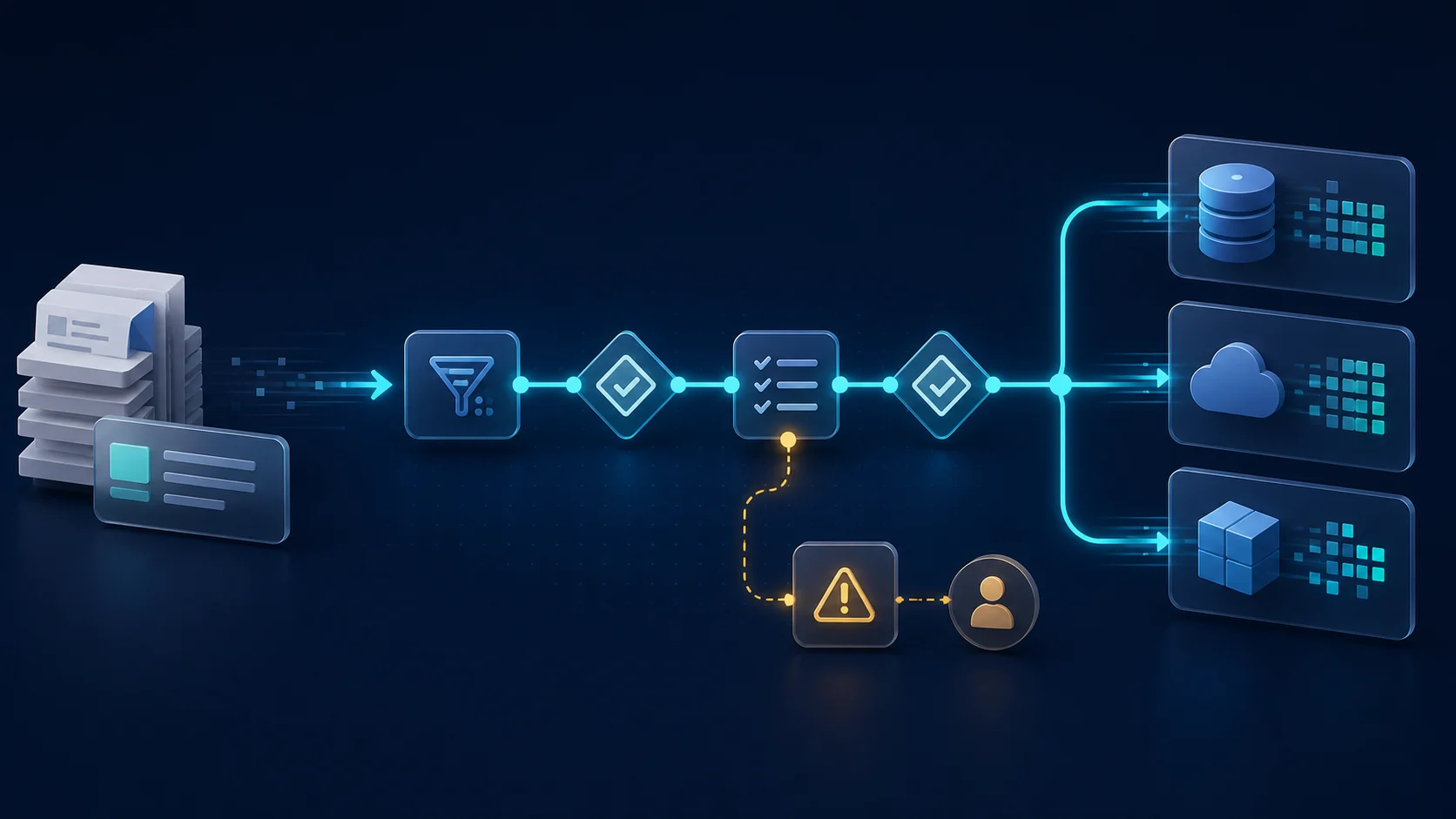
Before creating the record, it may be necessary to check:
- Does the customer exist?
- Is the product registered?
- Are all required fields present?
- Is the currency valid?
- Does the record already exist?
- How do codes from both systems relate to each other?
- What should happen if something is wrong?
This is why integration isn’t simply about connecting two APIs.
You need to understand the business process that exists between the systems.
What happens when an integration fails?
This is an important question that is often overlooked.
Integrations also have exceptions.
A system may become unavailable.
Information may arrive incomplete.
A business rule may prevent a record from being created.
An API may return an error.
A reliable integration should therefore consider:
Validation: Is the received data valid?
Logs: Can you determine what happened?
Error handling: What happens when a step fails?
Retries: Can the operation be attempted again automatically?
Alerts: Does someone need to be notified?
Traceability: Can you identify where information came from and where it was sent?
The more critical the business process, the more important these controls become.
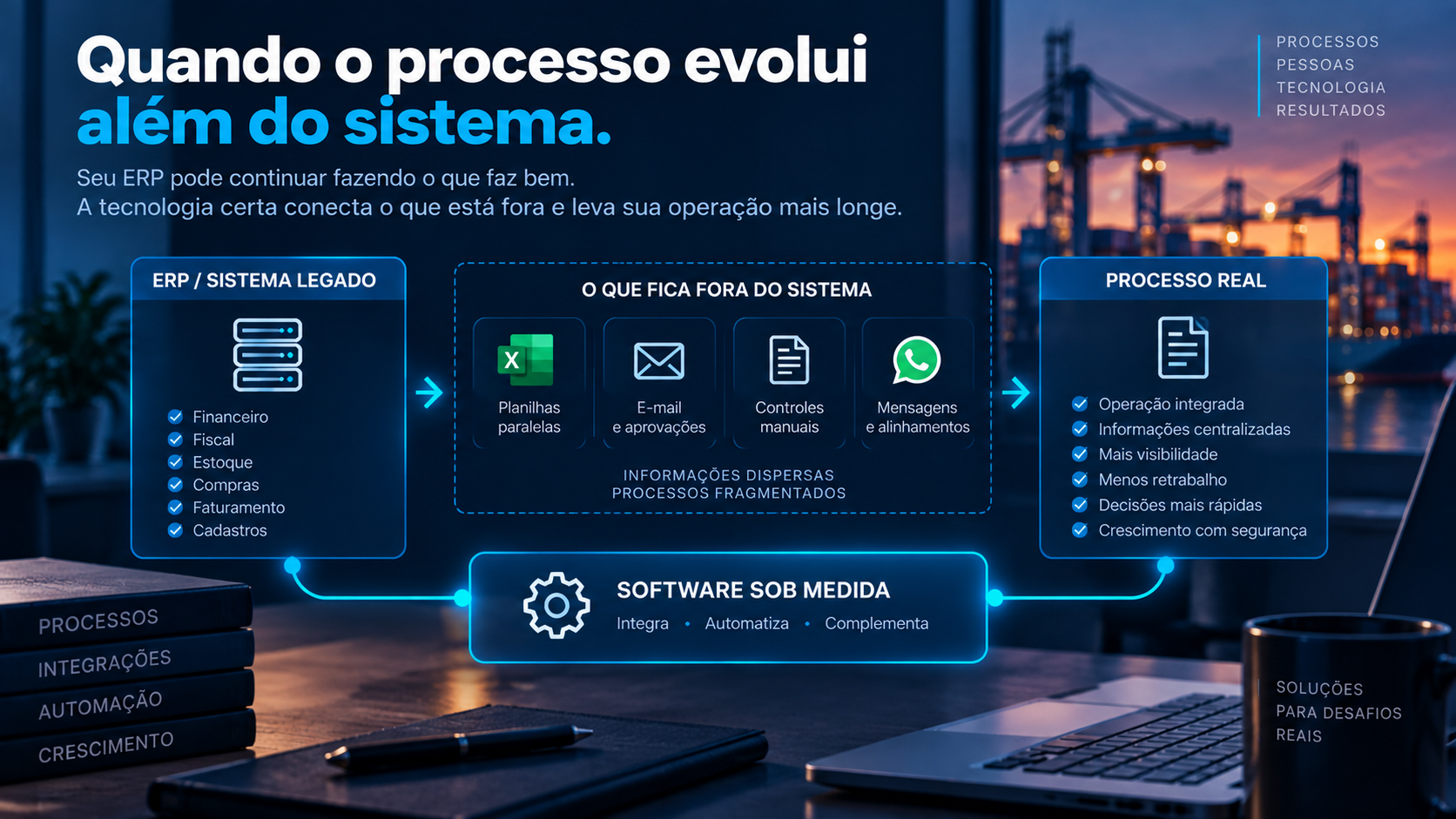
Does your company need to replace its existing software?
Not necessarily.
This is one of the main reasons to consider integration before replacing a system.
Imagine your ERP works very well for finance, accounting and other core business functions.
However, a specific department has requirements that the ERP doesn’t support.
One option would be to replace the entire system.
Another possibility is to keep what already works and connect a specialized solution for the missing requirement.
The technology architecture then consists of different tools working together.
The best system doesn’t necessarily need to do everything.
It needs to perform its role well within an ecosystem where information can flow between applications.
Systems integration or custom software?
They are not mutually exclusive.
Sometimes the problem can be solved simply by connecting existing platforms.
In other situations, there may be a specific requirement that none of the company’s current systems can address.
In that case, it may make sense to develop a custom application and integrate it with the existing technology stack.
For example:
ERP ↔ Custom Application ↔ E-commerce
or:
CRM ↔ Internal Application ↔ ERP
Custom software addresses the company’s specific requirements, while integrations prevent the new application from becoming another isolated information silo.
Where does automation fit in?
Integration and automation often work together.
Integration moves information.
Automation uses that information to perform an action.
For example:
Order received → Validate data → Create in ERP → Reserve inventory → Create logistics task → Send confirmation
This workflow combines integrations and automation rules.
That is what allows a sequence of manual tasks to become a connected digital process.
Before integrating systems, understand the information flow
An integration project should start with the business process, not the API.
Before developing any connection, there are several important questions to answer:
- Where does the information originate?
- Which system should be the primary source of truth?
- Which systems need to receive the information?
- When should updates happen?
- Which business rules need to be validated?
- What happens when there is a discrepancy?
- What happens when the integration fails?
- Who needs to be notified?
- Is an audit history required?
- Which parts of the process still require human decisions?
These answers help prevent integrations from simply moving problems from one platform to another.
People shouldn’t function as APIs
People are essential for interpreting situations, negotiating, analyzing exceptions and making decisions.
Copying information from one system and entering it into another is usually not the best use of that knowledge.
Whenever a task exists primarily to transport data between platforms, it is worth asking whether it could be automated.
This simple exercise often reveals significant opportunities for productivity improvements.
Technology isn’t just about having systems
A company can have an excellent technology stack and still operate with fragmented processes.
Digital maturity shouldn’t therefore be measured only by the number of software applications a company uses.
We also need to consider how information moves between them.
The goal should be to create an environment where each tool does what it does best without requiring people to manually fill the gaps between systems.
Systems integration with Pixel8
Pixel8 develops systems integrations, automation, custom software, websites and digital platforms for companies across different industries.
In integration projects, we start by understanding the business process and the flow of information before defining the technical solution.
APIs, automation and software are tools.
The goal is to solve problems such as:
- duplicate data entry;
- fragmented information;
- manual rework;
- isolated systems;
- parallel controls;
- manual processes;
- difficulty consolidating data.
If your company already has good systems but still depends on people to move information between them, the next step may not be purchasing another platform.
It may simply be making the systems you already have work together.